



Have you ever heard someone thinking to themselves in a movie or TV show? Their voice tends to have some kind of echo while they’re speaking. In today’s Sony Vegas tutorial, we’ll be taking a look at how to make audio echo as if the person or in this case, animal is thinking to themselves.
TUTORIAL:
Assuming you already have some footage in your timeline, let’s take a look at making it sound like the dog is thinking.
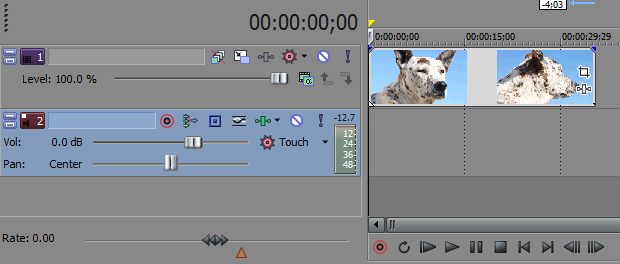
First, let’s record what she says. Start off by arming the audio track for record as we will be recording our own voice on an audio track straight in Vegas Pro. You may want to come up with a general idea of what you’re going to say or write a script as it’s easier. I just winged it here and luckily, it sounded pretty good.
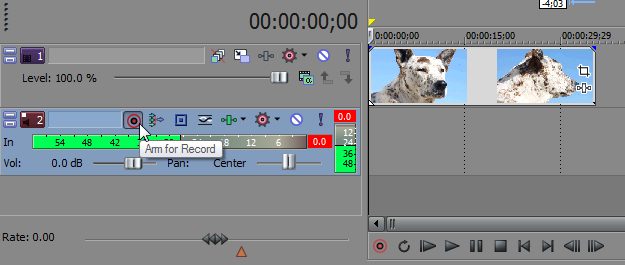
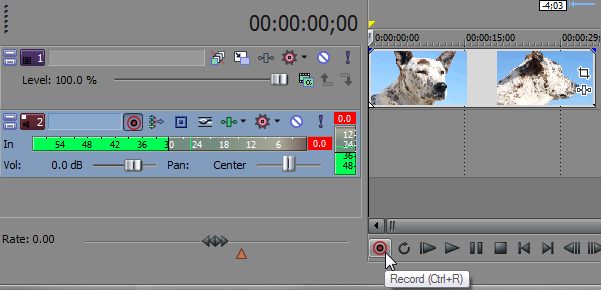
Once you know what you’re going to say, you’re ready to record. Click Record down in the Transport bar.
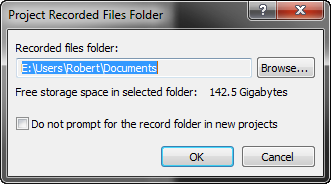
You’ll get a Project Recorded Files Folder diologe window asking where you want to save your recorded files. Be sure everything’s set up where you want them to go and click OK.
You may now begin speaking into your mic and record what you want the person or animal to be thinking.
When finished, click the record or stop button to stop recording.
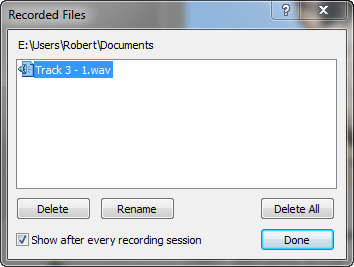
You’ll then get a Recorded Files diologue window showing your recorded files. You can either Delete or Rename files. If you’d prefer not to have this window pop-up in the future, simply tick the option to, “Show after every recording session” off. Click Done.
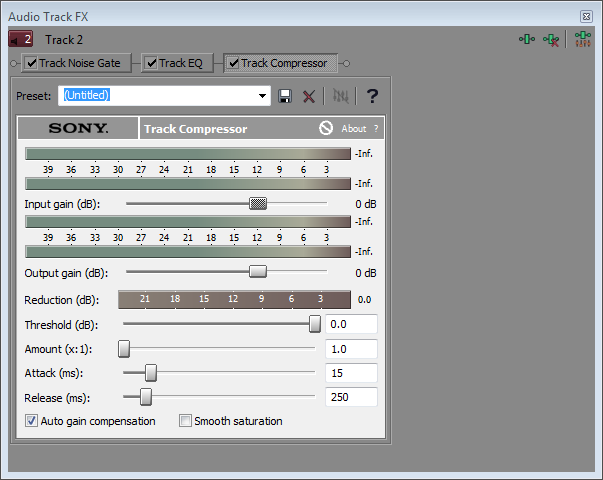
Now, we’re ready to add the FX. You can either add them to each audio clip under Event FX or to the entire Track which is what I’m going to do. Click Track FX found in the Timeline Header for the appropriate audio track. You’ll now see an Audio Track FX window. Be sure to see this handy Tip of the Day on how to Override Window Docking in Sony Vegas in case you want to move this window around without it docking.
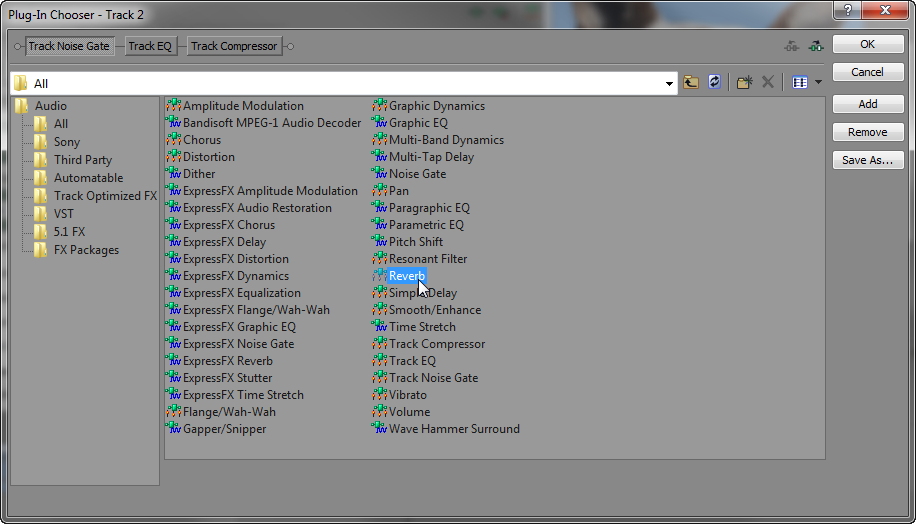
In the Audio Track FX window, click the Plug-in Chain icon to reveal more effects you can add. With All selected in the folder area, choose Reverb. Either double-click it and click OK or click it once, then click Add and click OK, your choice.
I found that the Bright hall preset seems to work well in this case. Click the Preset down-arrow and choose [Sys] Bright hall.
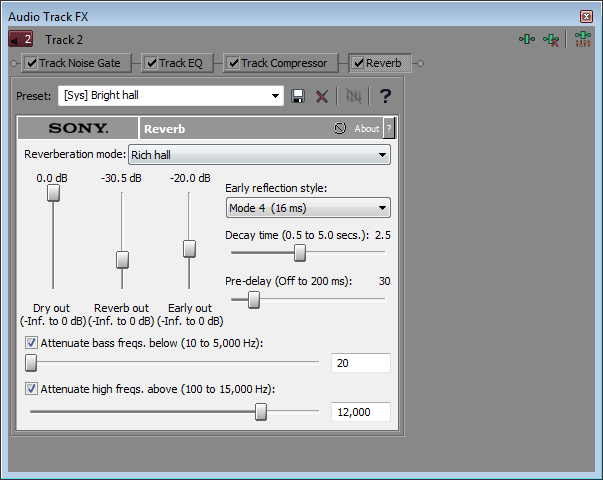
However, I changed the Reverb out to -30.5 dB. You’re free to play around with these options to familiarize yourself with them and get the best output for your project.
That’s it! Close out of the Audio Track FX and see how it sounds. You should find it sounds pretty good for those times someone’s thinking to themselves in a video.
What are some of your favorite audio effects in Sony Vegas? Leave your response in the comments below!


Comments