


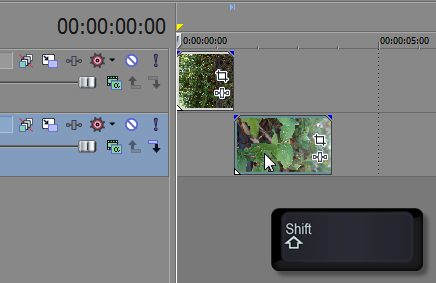
Ever need to quickly override snapping while moving media in the Sony Vegas timeline? Simply hold down the Shift key while moving clips to temporarily disable snapping. If snapping’s already disabled and you’d like to quickly enable it, hold down the Shift key while moving clips to temporarily enable snapping. F8 is the shortcut key to completely enable/disable snapping.
If you enjoyed this post, please consider leaving a comment or sharing it along with your friends!
Author
Robert began making video tutorials on YouTube nearly 6 years ago. Teaching Photoshop and Sony Vegas, he's made over 200 video tutorials helping almost 4 million people and has been recognized by Sony. He loves being able to share his knowledge with others and inspiring them to create something awesome.
Related Articles
If you ever had an issue with your system which caused Sony Vegas to crash, you've probably already used the... read more →
You can limit the files displayed in the open dialog to quickly access particular file types. In the dialog window,... read more →
Looking for great color schemes to use for your project? Check out http://kuler.adobe.com. You can even access Kuler in Photoshop by... read more →
|