


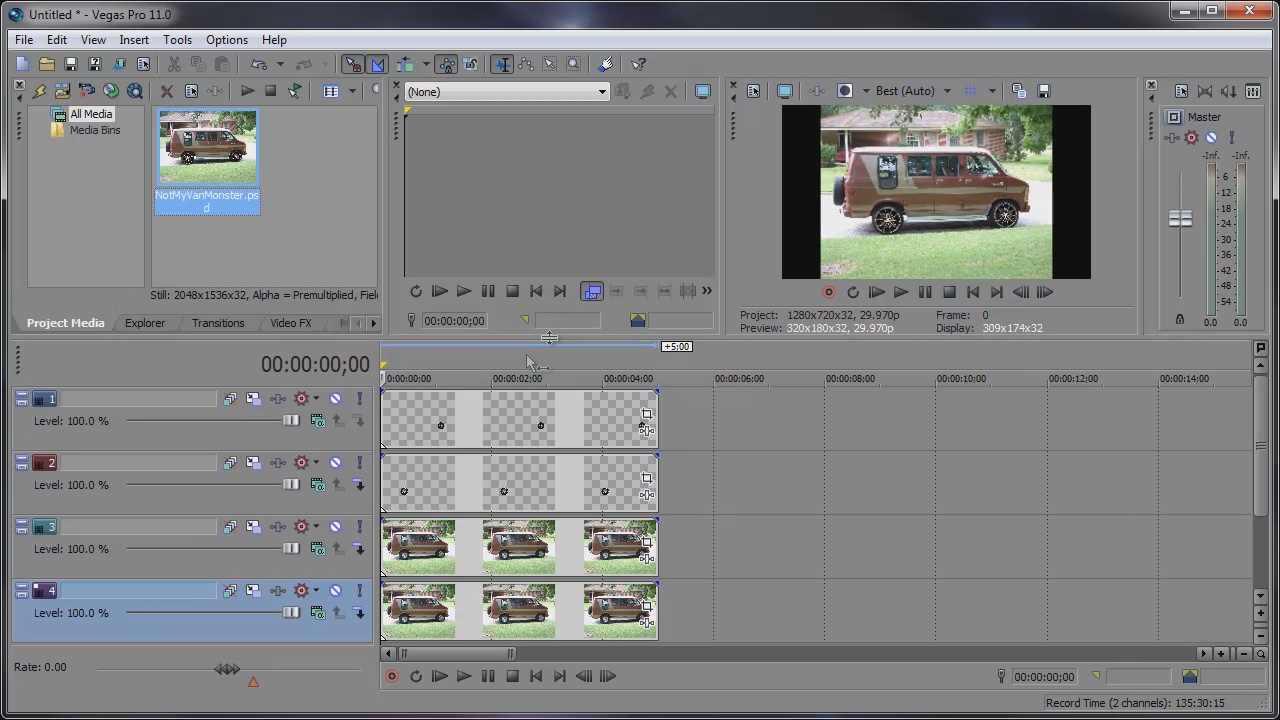
Sony Vegas Pro allows you to import layered PSD files into the timeline. Just Right-Click and Drag the file to the timeline. Once you let go, a shortcut menu will display. From here, choose Add Across Tracks. All the layers from that PSD file will import as individual tracks in the timeline. This is useful when creating graphics in Photoshop and animating them in Sony Vegas.


Comments