


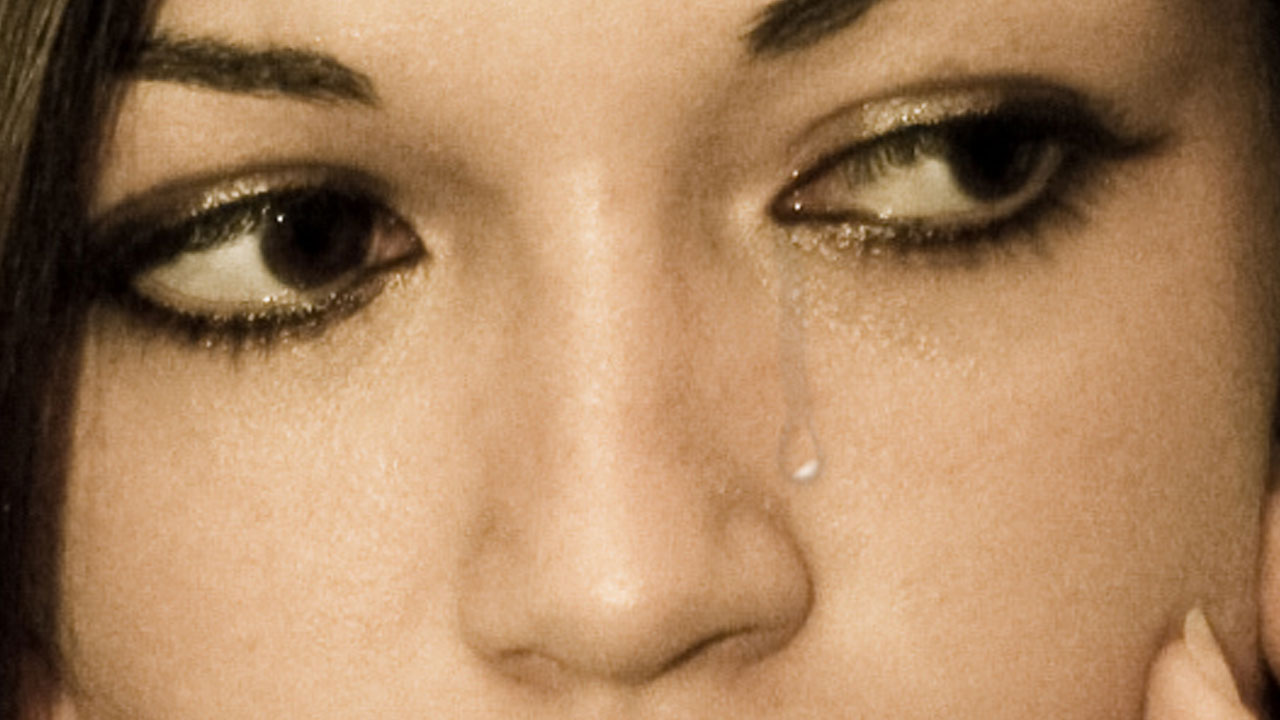
In this tutorial, I’ll show you how create realistic tears in Photoshop CS5. You could also buy some pepper spray and spray their face.
Facebook: http://goo.gl/RkWTR
Twitter: http://twitter.com/robsproductions
Site: https://www.robertsproductions.net/
Request: https://www.robertsproductions.net/contact/request
Contact: https://www.robertsproductions.net/contact (Questions)
Music: http://www.youtube.com/user/Klaypex
If you have any Photoshop tutorial requests, feel free to leave a comment below and I will try my best to fulfill those requests.
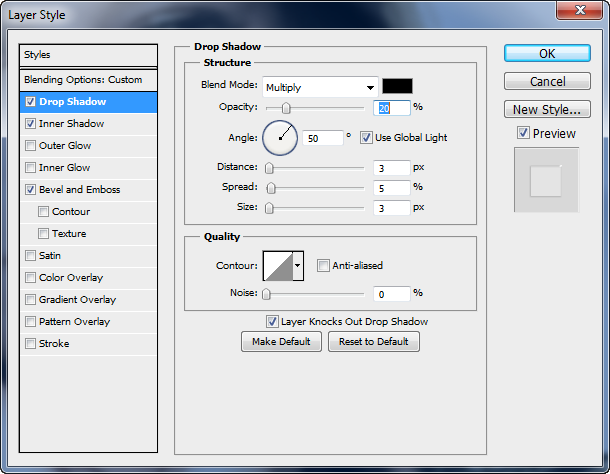
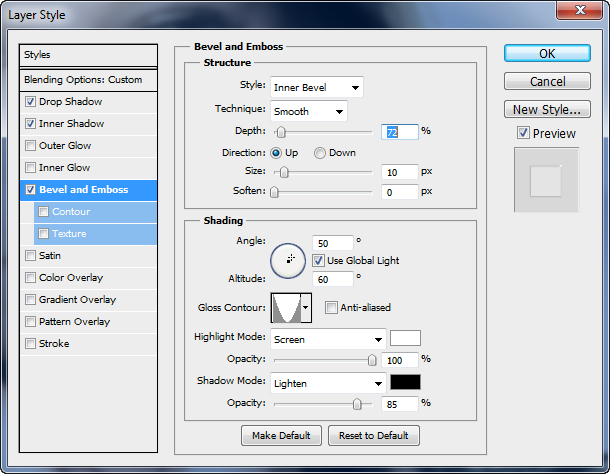
I’ve added some screenshots below of the Layer Styles below for your convenience. 🙂
[tabs tab1=”Drop Shadow” tab2=”Inner Shadow” tab3=”Bevel and Emboss”] [tab id=1]Drop Shadow
Inner Shadow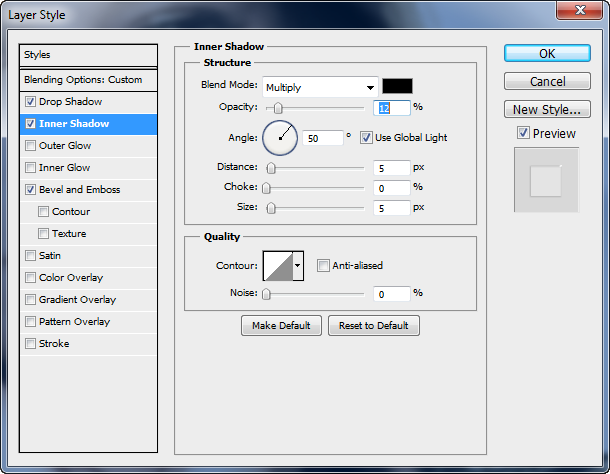
[/tab]
[tab id=3]
Bevel and Emboss
[/tab]
[/tabs]


Comments