


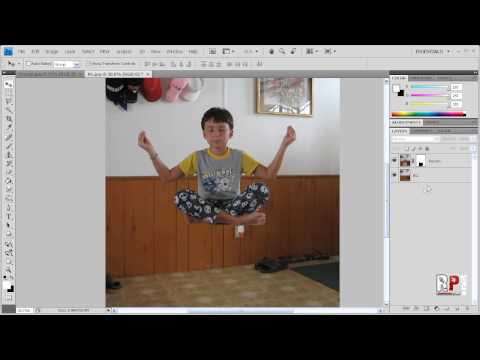
Photoshop CS4: Simple Levitation
Ever wonder how you could levitate yourself easily using Photoshop? In this tutorial, I will show you how to do just that. All you need is a digital camera, tripod, and something to sit on. First, take a few pictures without anything there and then take a few pictures with the person sitting on an object to make it look like they’re levitating. Next, load everything in Photoshop. Once everything is loaded, create a mask and begin working…
Created By: Robert’s Productions Studios
Request Tutorials: http://robertsproductions.net/request
Forum: http://robertsproductions.net/forum
Twitter: http://twitter.com/robsproductions
Hope this helped.
Thanks for Watching!
If you enjoyed this post, please consider leaving a comment or sharing it along with your friends!
| Get free email updates! Subscribe! |
Follow us!
|


Pingback: Levitation Photography: 65 Stunning Examples & Tutorials
Pingback: Levitation Photography: 65 Stunning Examples & Tutorials - Facebook life
Pingback: Levitation Photography: 65 Stunning Examples & Tutorials | Ruturaj Pradeep Kohok | Your Web Advisor
Pingback: Levitation Photography: 65 Stunning Examples & Tutorials | Warez Blog
Pingback: Levitation Photography: 65 Stunning Examples & Tutorials | Tutorial,Download,Tips & Trick
Pingback: Levitation Photography: 65 Stunning Examples & Tutorials | Templates, Scripts, CMS, Graphics, Fonts, Flash, E-Books, 3D, Tutorials, Wallpapers.